hckrnws
Show HN: A native macOS client for Hacker News, built with SwiftUI
by IronsideXXVI
Hey HN! I built a native macOS desktop client for Hacker News and I'm open-sourcing it under the MIT license.
GitHub: https://github.com/IronsideXXVI/Hacker-News
Download (signed & notarized DMG, macOS 14.0+): https://github.com/IronsideXXVI/Hacker-News/releases
Screenshots: https://github.com/IronsideXXVI/Hacker-News#screenshots
I spend a lot of time reading HN — I wanted something that felt like a proper Mac app: a sidebar for browsing stories, an integrated reader for articles, and comment threading — all in one window. Essentially, I wanted HN to feel like a first-class citizen on macOS, not a website I visit.
What it does:
- Split-view layout — stories in a sidebar on the left, articles and comments on the right, using the standard macOS NavigationSplitView pattern.
- Built-in ad blocking — a precompiled WKContentRuleList blocks 14 major ad networks (DoubleClick, Google Syndication, Criteo, Taboola, Outbrain, Amazon ads, etc.) right in the WebKit layer. No extensions needed. Toggleable in settings.
- Pop-up blocking — kills window.open() calls. Also toggleable.
- HN account login — full authentication flow (login, account creation, password reset). Session is stored in the macOS Keychain, and cookies are injected into the WebView so you can upvote, comment, and submit stories while staying logged in.
- Bookmarks — save stories locally for offline access. Persisted with Codable serialization, searchable and filterable independently.
- Search and filtering — powered by the Algolia HN API. Filter by content type (All, Ask, Show, Jobs, Comments), date range (Today, Past Week, Past Month, All Time), and sort by hot or recent.
- Scroll progress indicator — a small orange bar at the top tracks your reading progress via JavaScript-to-native messaging.
- Auto-updates via Sparkle with EdDSA-signed updates served from GitHub Pages.
- Dark mode — respects system appearance with CSS and meta tag injection.
Tech details for the curious:
The whole app is ~2,050 lines of Swift across 16 files. It uses the modern @Observable macro (not the old ObservableObject/Published pattern), structured concurrency with async/await and withThrowingTaskGroup for concurrent batch fetching, and SwiftUI throughout — no UIKit/AppKit bridges except for the WKWebView wrapper via NSViewRepresentable.
Two APIs power the data: the official HN Firebase API for individual item/user fetches, and the Algolia Search API for feeds, filtering, and search. The Algolia API is surprisingly powerful for this — it lets you do date-range filtering, pagination, and full-text search that the Firebase API doesn't support.
CI/CD:
The release pipeline is a single GitHub Actions workflow (467 lines) that handles the full macOS distribution story: build and archive, code sign with Developer ID, notarize with Apple (with a 5-retry staple loop for ticket propagation delays), create a custom DMG with AppleScript-driven icon positioning, sign and notarize the DMG, generate an EdDSA Sparkle signature, create a GitHub Release, and deploy an updated appcast.xml to GitHub Pages.
Getting macOS code signing and notarization working in CI was honestly the hardest part of this project. If anyone is distributing a macOS app outside the App Store via GitHub Actions, I'm happy to answer questions — the workflow is fully open source.
The entire project is MIT licensed. PRs and issues welcome: https://github.com/IronsideXXVI/Hacker-News
I'd love feedback — especially on features you'd want to see. Some ideas I'm considering: keyboard-driven navigation (j/k to move between stories), a reader mode that strips articles down to text, and notification support for replies to your comments.
Congrats and building and releasing something. I guess for reading things like this, I'm just a browser kind-of guy. But I still appreciate youre building a NATIVE app that's using around 85MB of working memory (according to my Activity Monotor), and not some Electron thing.
I'm probably just a anti-app guy, but I tried it out.
First thing I went to do was CMD-F to search for some strings in the comments section.
Actually, the real first thing I did, was click on the left-side article preview on the text that said "1 hr ago | 63 comments" thinking it'd navigate me to the comments. See, I like my native hyper-links.
I've never understood the concept of an app wrapper for a link aggregator (HN, reddit, etc). The whole goal is to provide links to external sources, and now I'm browsing the web in a limited web browser without all my extensions etc.
Am I missing some core concept here? Why would I want to browse the web in this app as opposed to a web browser?
Hack on iOS has a significantly more intuitive thumb friendly interface. Even just clicking a comment to collapse. Little things.
Some people love giving up as much customization and control over their software as possible. iOS over Android. MacOS over Linux. Chrome over Firefox. App stores over installing programs yourself. Apps over websites.
There are various arguments for it (better compatibility/cohesiveness, minimalism, less debugging) but it overall seems like the opposite of the "hacker" mindset which makes how much market share MacOS has in the space very strange.
That’s not really fair in the case of a third-party app like this one. Swapping out the website’s default UI for an app is customization.
Meh. I use a native app to access HN (NetNewsWire), and this apps launches the browser for things I want to read and/or for comments.
IMHO your comment is unfair. Native apps really are, when done right, much better. Sadly they are rarely done right.
>The whole goal is to provide links to external sources
For many the whole goal is the comments on those links.
You're reading the articles from here? (I kid)
As someone who used to use native RSS readers a ton back in the day, the limited web browser usually isn't a problem for just reading a few articles.
I like native apps for things, even link aggregators, because my I want to use my OS's native window management and app management instead of just shoving everything into a browser tab, of which I already have too many. Because then it's just CMD+Tab to Chrome, and then figure out which of the 20+ tabs I'm trying to get to instead of CMD+Tab directly to that specific app.
Anyway, just a bit of old man yelling at cloud but I've always disliked the proliferation of "web app all the things." Might as well not even use a desktop OS at this point and just have a full screen browser window and call it a day.
I'm trying to understand your position here. An app with it's own way to manage multiple browser windows is better, because you have too many tabs open in your browser. If you have multiple links open, the tab management is now a problem in your desktop app instead of the browser. If you don't, then you don't have to manage tabs anyway. What does this solve that a separate browser window doesn't, except not having any way to add extensions like ad blockers or tampermonkey scripts etc?
if you read HN a lot, then it makes sense to have have native app for it
you might not be aware of how how much power is at your fingertips on a Mac with a tool like Hammerspoon plus some other utilities
obviously you can bind the app with it's own shortcut without calling my entire browser, but I can move it to any part of any of my monitors easy with my one handed shortcuts: https://gist.github.com/pazimzadeh/b1c70f5f205d0b63264e7c021... you get the gist https://github.com/peterklijn/hammerspoon-shiftit
I guess you could make a web app or app clip but I think this is a cool project. would be good to have a theme engine.
Look at NetNewsWire how good a native app of this kind can be. NNW in particular has great shortcuts, like or opening links in the native browser, and read/unread functionality
I usually don't have multiple HN articles open at a time, but I can see how that would just be replacing one problem (too many browser tabs) for a worse problem (too many, now limited, browser tabs).
It's just nice to have HN as it's own app instead of just another tab in a single app. Same reason I use mail.app vs. webmail, native music app vs the web player, etc.
PWAs also solve the problem, more or less, but it is nice to have something native.
Isn’t what a chromebook is all about? (And yes, I hate it too.)
If you want to use your native window manager, why don’t you just disable tabs and have every link open a new browser window?
On MacOS that would be an amazing poor UX, cmd+tab works on Applications, not specific windows.
Switching windows within the same Application is cmd+` ; and only works on the current workspace.
What about using AltTab?
I agree it would be a poor experience, but macOS does have an additional shortcut key for switching between windows: Command–Grave accent (`)
did…
did I not mention that?
You absolutely did, but are you not aware that cmd+` allows you to switch between windows?
What you are thinking about is provided by a third-party app (AltTab). It was never a part of the system.
only with the same application, and on the same virtual desktop (which is what i said).
i am confused here now, what do you mean that i am missing?
> and not some Electron thing
Ironically, most of the app is a webview. The comments just have some additional CSS styling slapped on top of the hackernews website. So you still have an entire HackerNews site loaded at all times when reading comments anyway.
85mb is electron territory...
If you're looking for an alt frontend on the web (+PWA), check out https://hcker.news
There will be a way to do user actions like upvote/comment/favorite/flag soon.
> But I still appreciate youre building a NATIVE app that's using around 85MB of working memory (according to my Activity Monotor), and not some Electron thing.
Well, assuming you have a browser open anyway, you're still using more memory than if HN is running in another browser tab.
In fact, if every website that you use frequently had its own native app, that would use more memory than you're using now.
You should probably check that.
A fresh hackernews tab of this thread uses 150MiB (Sandboxed) in Chrome for me, and HN is a pretty lean site by all accounts.
In Firefox (Linux) it says 34MB.
Weird, I promise I am not lying.
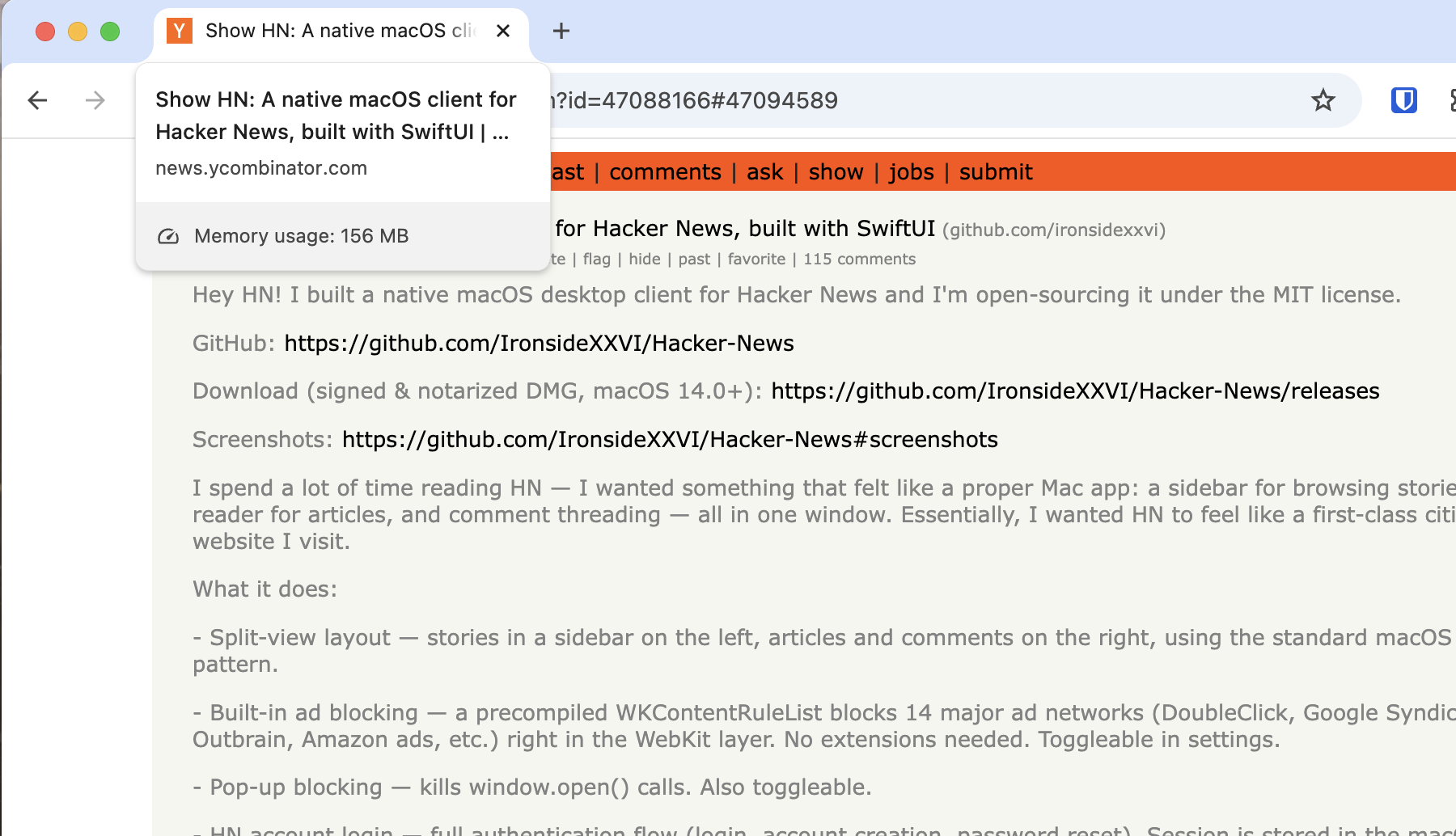
Do you use browser extensions? Perhaps they are adding to the memory usage (?)
Only bitwarden (no ad-blockers or anything).
https://sh.drk.sc/~dijit/hn_tab_extensions.png
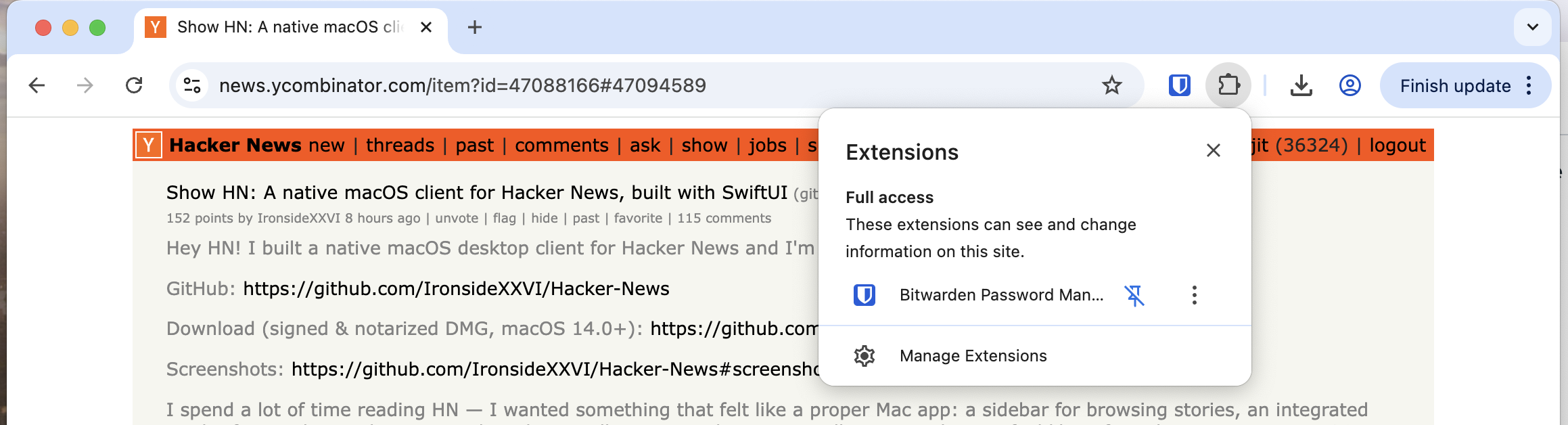
EDIT: Looking into it, seems the tab memory viewer is only looking at the page and does not take extensions into account; if the extensions inject JS/Style to the page then it counts, and Bitwarden seems to only add a small amount of JS to find password dialogues. It uses memory, but outside of the tab viewer.
Nice work shipping this. The 2k lines of Swift for a fully functional native app is impressive - shows how much SwiftUI has matured. The CI/CD pipeline for macOS code signing is genuinely hard, so thanks for open-sourcing that part. For anyone building side projects: this is the kind of portfolio piece that actually demonstrates real engineering skills. Much more valuable than yet another todo app when you're applying for jobs.
This is fantastic. The app is simple, useful and feels de-cluttered.
Two of my feature requests: 1. Allow cmd+f search on the whole app - I wanted to search your post on the app but I couldn't 2. A browser button to open the current page on an external browser.
Side note: I am trying to minimize my HN time via getting push notifications for relevant HN posts, and that's how I discovered your post. Would it be cool if one could write custom agents on top of an app? Maybe?
A link to my experiment: https://www.bvaibhav.info/knos-digest
Congrats on shipping!
Two things, does anyone else feel like 2017 was not 9 years ago and rather feels like it was just yesterday? I use a 2017 iMac running MacOS 13.7.8. It appears my hardware will not support any newer version of MacOS. For the most part, I haven't been too discouraged by this as I prefer older MacOS designs over the newer ones.
However, this is the second time in 2 days I've actually hit a wall in the Apple eco-system due to an older OS.
Last night I tried to build Ghostty to hack on a feature... it needs Xcode SDK 26 which isn't supported on Xcode 14 (latest version I'm able to install).
Now today, attempting to try this app out, I can't launch it due to being on too old of an OS.
It's really a shame because this iMac from 2017 is quite the capable machine. Absolutely no reason to upgrade it (from a hardware / performance standpoint).
In case you weren't aware: https://github.com/dortania/OpenCore-Legacy-Patcher
macOS Big Sur and newer on machines as old as 2007
macOS Big Sur, Monterey, Ventura, Sonoma and Sequoia
Personally I'm hapy with my old macOS in no small part thanks to https://www.macports.org
Hey there! What OS version are you using? This app should run on Mac os 14 and later.
Many Intel Macs are stuck at MacOS 12, Monterey
> I use a 2017 iMac running MacOS 13.7.8
The absolute newest Mac in my home is a 2017 and is limited to 13.7.8, also. It's still a beast, and I've never really thought of it as "old." The macOS (and iOS) ecosystem, though, is brutal on us "slightly older" hardware owners. We get dropped so quickly, by both Apple and by 3rd party developers.
Windows developers would think nothing of keeping their applications running on Windows 7 (16 years old) or Windows 10 (11 years old), but my 9 year old Mac is somehow ancient.
Is that true?
Subtle bugs always find their way in increasing amounts for Windows applications that continue getting software releases; we tend not notice because we all run actually supported versions most of the time, and even when we dont- its only for a year.
I see people on youtube trying to make “modern desktop” experiences on Windows 7 and 8; and it takes some serious doing with all the incompatibility with things like browsers. Dialogues about missing features crashing you to desktop more often than working.
So much so that there are dedicated forks of chrome and firefox to support this purpose.
I'm interested in what part of the design is limiting your app to macOS 14?
Very nice. Commenting from it right now.
First feature request from me would be to adjust text size. I've start bumping up the default text size on all sites by one or two notches in the past year. Getting old, y'know. But also, as someone pointed out on a design blogpost a decade ago, why not make things easier to read. I didnt need it then, but I appreciate it now.
Really happy that I can run this on MacOS14 cause I've been locked out of some neat things people have built recently. Thanks for targetting older OSes. I'm not upgrading to the crap they've been putting out lately.
I'll be able to read details more later (getting ready for the job). Hope I didn't miss anything and comment about something that was already addressed. Congrats on shipping!
Just pushed an update allowing users to adjust text size
> I've start bumping up the default text size on all sites by one or two notches in the past year
I've been doing this too; at some point I should probably just change the scaling of my desktop as a whole. But I like my high resolution, multiple windows layout too much to do it yet!
There's always a compromise for me when adjusting scaling. UI doesn't scale correctly, bars get too big when I only want the text specifically to be increased, etc. I've settled on adjusting the text manually because at least that's user-adjustable.
Just pushed an update allowing users to adjust text size
Hey thank you! I will make sure to tackle text size in the next release.
Tangential piggy back: If you prefer CLI, here's a free and open source HN browser in terminal:
https://github.com/Aperocky/hnterminal
Install: `pipx install hnterminal`
I enjoy this one as it helps keep me mostly on task while goofing off.
This is really good and I can definitely see myself using it instead of visiting the website. One thing I think would make it even better is if the comments weren't a web-view/embed but used swiftUI to display them (similar to how some reddit clients look, for instance). Not sure how feasible that is, I can imagine it'd be more involved than the current implementation.
> Built-in ad blocking — a precompiled WKContentRuleList blocks 14 major ad networks (DoubleClick, Google Syndication, Criteo, Taboola, Outbrain, Amazon ads, etc.) right in the WebKit layer. No extensions needed. Toggleable in settings
This is a good start, but I think a better approach would be to piggyback off of ublock origin's lists. Hopefully less maintenance that way too.
> I think a better approach would be to piggyback off of ublock origin's lists
That won’t work. uBlock origin is licensed GPLv3 (https://github.com/gorhill/uBlock), this code is MIT licensed (https://github.com/IronsideXXVI/Hacker-News).
Great point, thanks!
@IronsideXXVI, are you open to changing to gpl v3? Otherwise, there is probably a decent set of filter lists with an MIT license somewhere. The goal is for you to NOT become a filter list maintainer, and by piggybacking off an already respected set of lists, you'd build user trust in your adblocking.
I would recommend that changing to GPL just to gain better ad blocking, which is far from being a primary feature, is probably not the greatest idea if you care about licensing.
> which is far from being a primary feature,
I don't know that I agree. If the adblocking functionality has gaps, then I will likely not use it for reading stories, and if I'm already opening up HN in my browser w/ ublock origin, then I might as well stay there and comment. Reading the article may not be the 'primary feature', but strong adblocking does seem like table stakes.
Sweet, I will have a look. Thank you.
I love the idea but what keeps me in the browser is things like uBlock Origin + uMatrix + a bunch of other extensions that I know keep me safer. On top of that, Firefox has anti-fingerprinting.
I don't necessarily have a ready solution to offer, but these are the obstacles preventing someone like me from being able to use apps like this comfortably and safely, especially knowing we are entering a transitional period where new apps are being vibe-coded every day and formal verification has not yet caught up.
Even if a given app has had every line of code reviewed by a human, or has well-defined interfaces that allow for sloppier internal code, how do I know that without cracking it open myself or asking an agent to help me audit it?
Well, I suppose the app could offer a proxy service. Funnel everything through a VPS, apply ad and tracker blocking there.
That opens the door to lots of additional features… Cache responses so you can still read stuff when it gets the HN hug of death. Do a full-text index and offer a secondary search capability over article contents. Maybe build an API for all that so you can have AI Agents ground themselves on articles that got strong quality signals on HN. Maybe sign agreements with publishers like LWN, The Information, or whoever else shows up on HN behind a paywall frequently.
Obviously that would need to be a paid feature.
These are possible solutions, but offering a VPS/VPN won't convince anyone who is already on the fence over privacy or security issues. They probably have their own already and don't want their browsing data running through someone's servers. HN clients should interact directly with HN as another normal client, and not proxy incoming traffic.
Even if it enables lots of other features, that's not why I come to Hacker News and such a feature would be an immediate pass. Maybe others feel differently, but the fact that HN's design and featureset have not followed other trends over the years is part of why many of us still come here.
Maybe there is a market for what you're thinking, but I'd continue to do more market research to make sure you understand your user demographics before making the wrong move early on.
Neat! One feature I'd love to see is to follow/block users. Like this Chrome extension: https://chromewebstore.google.com/detail/hn-followblock/dkbn...
Great idea, thanks!
It is on my feature list for https://oj-hn.com as well.
I wonder how you think about trusting oj-hn as a vendor? The extension looks great.
I sympathize with the desire to release programs/code anonymously or semi-anonymously on the internet. I noticed you don't particularly tie the extension to any identity (unless I'm missing something).
Maybe extensions are more constrained than I realize. Specifically it looks like the manifest has "host_permissions: ['https://squeeze.oj-hn.com/*']," and then presumably the only leakable thing is private contact email or votes. Maybe the chrome api content of the tabs/history permissions also (seems silly for chrome not to scope that to the startUrls though?) Not 100% sure I'm understanding correctly though.
you're not wrong which is why i try to be transparent about it all on the homepage. good suggestion, i'll blurb myself, but i'm not looking for fame so i left that off. i just want the extension to speak for itself.
it is all open source and built by CI, including squeeze, which is just a few lines of a CF worker.
https://github.com/OrangeJuiceExtension/
i'm also not anon and i have 16k karma here along with decades of history building open source that you're probably using on a daily basis without even knowing it (co-founder of java @ apache).
i also don't need money, so i won't ever sell this project to the highest bidder and i don't have plans or need to monetize it either. maybe add some ai features in the future that require you to put in your own api token. GPLv3 too, to prevent corporate takeover.
right now, it is just a ground up feature re-implementation of another popular HN extension that the author abandoned. i've done it with over 650 unit tests too, so it shouldn't be too buggy and stand the test of time.
up to you though. i use it daily. ¯\_(ツ)_/¯
ya, thank you, I recognize the history! The extension just seemed isolated from another identity. So I was wondering the thinking. I wish chrome let you scope the manifest/permissions on the user side more.
one other thing. the best thing you can do is just run it in a separate profile than the rest of your browsing. i don't do that myself, but it would be slightly more secure that way.
Separate profiles is perfect. Not sure why I haven't been doing this. The keyboard shortcuts are wonderful and enter to open the article is so optimistic! Thank you for dragging me across the finish line. Your extension is glorious.
Edit: I liked the j and noticed it even worked elsewhere (bestcomments is when I ran into it)! None of this is requests, just reflections. Still warming up to the keyboard navigating collapsed comments behavior. Also I think I remember the original HNMarkAllRead 'hide stories' checkbox hid stories after visiting comments. (And there was a hide comments checkbox that when marked only revealed new comments since the last visit) There are lots of workflow permutations to hn!
'j' to the end of the page to go to the next page is awesome. took a bunch of ai tweaking to get all that right.
i actually did this whole multi-layered object model to wrap around the dom to enable pagination more easily. took about 2 days of coding to figure that out. doing it that way made it so that you can even refresh the page and it will 'remember' where active article is. none of the other extensions are this well thought out.
oh and left arrow to open the comments is debatable, but i kind of like it. my reading pattern is to open a bunch of tabs... right/enter to open the story and then left to open the comments... then when i have time, i go through all the 'interesting' stories.
what i'd like to do is add kind of a bookmark and tag system so that you can store what you want to read later and be able to tag it so that you can search for it. favorites is close, but it doesn't quite cover the same use cases.
i've done my best to keep it as minimal as possible. i wish i didn't even need squeeze, but there was some block that required it and it was easier to just do it as a few lines of code. i figured as long as it is all built by CI, GPL and OSS, I'll get a pass. it is the best we can do today.
try it out, let me know what you think. i promise not to hack your hackernews.
My experience would indeed be so much better with a content filter I can control, yes.
Also would be nice to be able store notes or short blurbs about usernames that will show up in the app. Maybe as a tooltip?
One thing that I _love_ with the browser is this extension:
https://github.com/timkuijsten/BoundedBikeshed
It lets me see the top-level comments with some indication of the thread depth. Totally changed my post scanning.
> Getting macOS code signing and notarization working in CI was honestly the hardest part of this project. If anyone is distributing a macOS app outside the App Store via GitHub Actions, I'm happy to answer questions — the workflow is fully open source.
You're not kidding! That's actually the first thing I looked at in your Github Repo. It's annoying as I made a neovim gui and downloaded it from GH and couldn't run my own app until I dug into some hidden place in the Settings App. Definitely super helpful to see how it's done.
I'm digging the app too! As another commenter said it'd be cool to see the comments as native SwiftUI elements as well. :)
> Getting macOS code signing and notarization working in CI was honestly the hardest part of this project. If anyone is distributing a macOS app outside the App Store via GitHub Actions, I'm happy to answer questions — the workflow is fully open source.
If anyone wants to see another repo with this, we have it set up for Slippi (and various subprojects, like the Launcher): https://github.com/project-slippi/Ishiiruka
I'm thankful that it's largely a "once it's working, it rarely breaks". If it does break, it's usually because I have to sign in to the developer portal and accept some contract somewhere. Error messages in CI rarely indicate this is the case sadly.
Thank you so much! I well definitely see what I can do.
Could you add comment navigation features? I want to read all top level comments first and be able to down-arrow through them, and right-arrow to expand one level.
Definitely, looking into a better way to display comments for an upcoming release.
No No. Don’t do that, don’t make it better and easy to use. I’m already addicted and spent more time than I should. Now, this app that I can keep it open all day!
Btw, can you allow me to set the font-family, font-size, etc. for the interface? I can’t even do the default `CMD + +` to zoom in.
> I’m already addicted and spent more time than I should.
noprocrast + maxvisit + minaway on https://news.ycombinator.com/user?id=Brajeshwar is your friend for this :)
> In my profile, what is noprocrast? - It's a way to help you prevent yourself from spending too much time on HN. If you turn it on you'll only be allowed to visit the site for maxvisit minutes at a time, with gaps of minaway minutes in between. The defaults are 20 and 180, which would let you view the site for 20 minutes at a time, and then not allow you back in for 3 hours. - https://news.ycombinator.com/newsfaq.html
This seems like a common problem. I am experimenting with how to consume less news (but still not miss the important bits). Built an agent that sends me daily summaries. And that's how I found this post!
I am maintaining the list of what I am reading: https://www.bvaibhav.info/knos-digest
Plan to extend this beyond HN.
Done. Trying this one out.
Just pushed an update allowing users to adjust text size
Yeah for sure!
Really nice work! But +1 to at least font zoom on HN comments.
For sure! Will tackle allowing users to adjust fonts in the next release.
Just pushed an update allowing users to adjust text size
The king! Thanks, this is sweet.
as a stand alone app, i thought there would be at least some kind of an improvement in UI but its like a step back.
I enjoy it for browsing, switching between articles. Thought others may enjoy it so I open sourced it. To each their own. If you dont like it, no need to use it.
If my work PC was a Mac I'd give it a try!
One thing: I really like the colors of Hacker News. It feels weird to me when Hacker News is presented in other colors. If I were to use your app I'd want to change the color pallet back to what it looks like on HN.
> Getting macOS code signing and notarization working in CI was honestly the hardest part of this project. If anyone is distributing a macOS app outside the App Store via GitHub Actions, I'm happy to answer questions — the workflow is fully open source.
Yes, in a past life I shipped a Mac application. This aspect is always a little bit of black magic. I will say that the Windows installer situation was a lot worse, IMO.
I have been building a drop in replacement for SwiftUI that can render with different renderers (TUI for now and GTK/Adwaita very soon). This will be such an awesome demo use case for it.
Congratulations on getting this out!
Sounds really cool! I’d love to check it out.
Having built crossplatform native app supporting MacOS app, I have never gotten notarization to work as I'm not using xcode a lot.
I'm curious, how much does it cost? Is it per build or a subscription? How do you make it work financially for an open-source project?
You just need an Apple Developer account ($99/year), which you likely already have if you're distributing apps. Notarization itself has no per-build cost — you can notarize as many builds as you want. The process is essentially: codesign your app, zip it up, submit it to Apple's notary service via xcrun notarytool, and staple the ticket. It can be automated in CI too — this project uses a GitHub Actions workflow for it. The $99/year is really the only cost, and that's for the developer account itself, not notarization specifically.
THis is nice. Congrats on the launch!
I'm a big fan of Swift (and SwiftUI), such a concise and elegant language. Beauty.
Also I appreciate how you made all backend calls just static functions which they always should be. People tend to overcomplicate these things and add a lot of boiler plate and unnecessary bureaucracy.
Going to try your app, thank you!
P.S. tried it, already miss the `threads` tab
I need to add this! Will work on that for the next release.
Added
About the only possible suggestion I could make is an addition similar to what the HACK iOS app has: at the top of the comments section is a “bank” icon which leads to various Archive.today domains. Don’t know how it works, but if those entries do exist, it is to archived versions of the page in question. Maybe some sort of a lookup API on Archive’s part?
Really nice app! I would love the ability to override dark mode (I use it for my desktop, but sometimes want a specific app in “normal” mode).
Good idea, I’ll add Light, Dark, and System controls.
Added
It is great! Very native feel and it's quick too. I don't have to keep a Safari window open all the time...the ram usage of this app is around 10% of a Safari window with a single tab.
A font size setting would be nice, I found the font is a bit small.
Thanks for the feedback! I will prioritize working on allowing users to adjust the font.
It’s already there! Thank you
Nice work.
I think you should remove Claude as a contributor to your repo. It probably weaseled its way in on its own, I think it’s the developers job to talk about the tools they used not the tool company.
> I think you should remove Claude as a contributor to your repo
I actually really appreciate it when people do not hide their use of Claude code in their repo like that. It's usually the first thing I check on Show HN posts these days.
Thank you! I beleive that is from having claude debug some issues with the build pipeline on it’s own.
It does like to weasel in if you let it write a commit message, and even after rewriting and force pushing, it seems to hang around on the GitHub contributor list.
Do we need this? I mean, isn't this what your browser is for?
If you don’t like it, no need to use it right?
I built one and deleted it - suggestion that I found useful
Split-pane the content: original article | comments
Ahh cool! I can add an option for that.
This feature is very useful :)
Added, thanks again for the idea!
Ah, this gives me 2002 vibes where coolest websites started to produce native clients for their websites so their users could read and comment offline.
This is sooo good.
WHAT? The client size is 2 megabytes? It can fit onto two floppy drives! Man, this is something. It's even more 2002 vibes! And I haven't installed it yet.
Bravo!
Great! I was just looking for a replacement for https://www.modernhn.com
This marketing tactics are wild... made me uninstall the extension.
ModernHN has so many bugs... for instance you cannot see the text of "Show HN" posts...
Nice. I would like a way to export my own comments.
Thank you for the MIT license, I’ll be able to add my own.
It also works on my fork of the old news server.
Nice! Can’t wait to see what you come up with.
I will not invest any time in improving badly designed software. You can't fix a broken wheel. Your HN newsreader app tries to improve the broken wheel. The least you could have done is make the comment edit field WYSIWYG, make it modeless, see what the text will look like while you type, not after you click update or when you click edit in the tread reader.
Your code is just a very limited webbrowser. The webbrowsers, html are a very broken wheel. Alan Kay, the inventor of personal computing, explains why https://youtu.be/FvmTSpJU-Xc?t=961
This lecture Alan aimed at this audience, the computer science (programming) students at University of Illinois, where they programmed this broken wheel 20 years after Alan had showed them how do do it better.
Paul Graham should not have based HN (Hacker News) on the web and html but on WYSIWYG, then you would not have had to fix it with your app.
The Lively Kernel would be another way to fix html but retain the web. Two demos says it all:
https://youtu.be/gGw09RZjQf8?t=147
https://youtu.be/QTJRwKOFddc?t=234
Dan Ingalls implemented most of Alan Kay's invention of the personal computer, in these demo's he shows how to fix the webbrowser's broken wheel a bit. Their Squeak, Etoys and Croquet fixed it completely:
Early Croquet demo: https://www.youtube.com/watch?v=XZO7av2ZFB8
Croquet in webbrowser: https://codefrau.github.io/jasmine/
Demo of webbrowser replacement: https://www.youtube.com/watch?v=1s9ldlqhVkM
Squeak and all its predecessors: https://smalltalkzoo.computerhistory.org
Etoys: https://squeak.js.org/etoys/
Looks really neat! Before I built Hacksy for iOS, I also contemplated building a macOS version for HN news.
Thank you! I’m going to check out Hacksy now!
This is so nice. The UX feels very smooth too - I love these kinds of native apps. Thank you!
Thank you so much, let me know if there's anything you feel needs tweaking or added.
i would love keyboard-driven navigation! espeically for switching between the post and comments :)
I will add this.
Commenting from the app. Good job!
Nice. It is actually very close to the experience I have via RSS on Reeder.
crazy you built this thing in less than a week! did you use the claude code from CLI or via the macOS app to help with this? just kind of curious on your workflow!
Hahah yep. I prefer the claude code cli, it super charges the amount of work i’m able to do.
Congrats on launching!
How is this superior to an RSS reader?
please add in the keyboard shortcuts to navigate, that's one of my favorite things about native desktop apps
I will look into this for the next release. Thanks for the idea!
really nice, but if you have high res monitor the fonts are too small. would be nice to zoom the ui
Just pushed an update allowing users to adjust text size
100%! Will have this fixed in the next release.
IOS next and you've nailed it!!
Absolutely, IOS version should be pretty simple. Going to iron out a few things in the Mac version that users are asking for, then bring it to IOS.
What does your CLAUDE.md look like?
I actually find it better not using one. I leave Claude.md blank.
Please make a tvOS client! =) Seriously though.
These tools have no sense on a highly chaning API which is the web. Email, Usenet and the like will have a fixed protocol for decades and will still work anywhere.
This is super cool.
In other similar news, I've been working on enhancing the HN ux, but still in the browser as an extension. The current build up on the Chrome store is pretty stable.
Oh sweet! I’ll make sure to check it out!
Why does the comments page look like a web view with some custom CSS? Is it because HN API doesn’t have a way to post comments? You could try using a WebPage[1] to inject the cookies and post comments, and an OutlineGroup to display comments.
[1] https://developer.apple.com/documentation/webkit/webpage
After playing around with it for a bit, one request I would like to make is being able to open multiple tabs.
Hey there! Try clicking view in the mac os nav bar, then click show tab bar. Is that what you’re looking for?
This is really really nice! Great work!
My only nitpick is I wish I could force dark mode on web pages with a light background, but that’s minor.
Some nice to haves: automatic paywall bypass for paid sites, and automatic cookie/pop-up rejection.
I mean, what's the point of this app? It looks exactly like the web version, without any improvements over the abysmal HN threading.
I enjoy it for browsing, switching between articles. Thought others may enjoy it so I open sourced it. To each their own.
[dead]
[dead]
Looks nice but I don't have/want a Mac so I can't really use it. Support for other platforms would be nice.
Supposedly people are raving about Swift being cross-platform nowadays, this seems like a simple example where the Swifties can prove how useful/practical that is in practice.
Swift is de-facto cross-platform without limitations.
SwiftUI is something entirely different and not trying to be cross-platform at all.
Ok, so Swift-the-language is cross-platform, but can't actually do cross-platform UIs. So great for CLIs, bad for everything needing a GUI?
I guess you could say that. There are frameworks such as swift-cross-ui, but I couldn’t tell you anything about their maturity.
I don’t think CLI and GUI applications are the only software people write. Swift is a great backend language.
To some degree. There are _many_ SwiftUI clones that support other frameworks such as Gtk and Windows, with varying states of maturity. Or you can share the business logic and write the UI natively in Swift.
Crafted by Rajat
Source Code